Walk the line.
Skip the redlines.
LineID turns field photos of pipeline components into a Pipeline Feature List, a schematic P&ID, and CAD-ready exports — while you're still standing at the next valve.
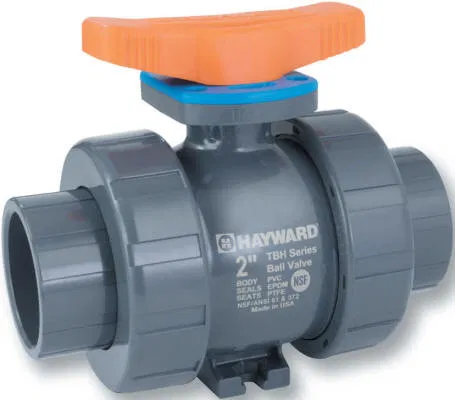
A pipeline walk produces two things: photos and paperwork.
The walk is fast. The documentation is not — and it usually happens days later, at a desk, from memory and a camera roll.
The walk becomes the record.
Four steps, done from a phone, in the order you're already walking the line.
SCAN
Photograph each component as you walk the line — no special equipment.
TAG
Computer vision identifies valves, instruments, and fittings and assigns V/P/I tags.
MATCH
Each feature is checked against your spec database for material, rating, and chemical compatibility.
EXPORT
Get a Pipeline Feature List, a schematic P&ID, and CSV / draw.io files, ready for review.
Every walk produces a drawing set.
Not a photo dump — a structured set you can hand to a reviewer.
Structured, line by line
| TAG | TYPE | SIZE | MAT'L | RATING |
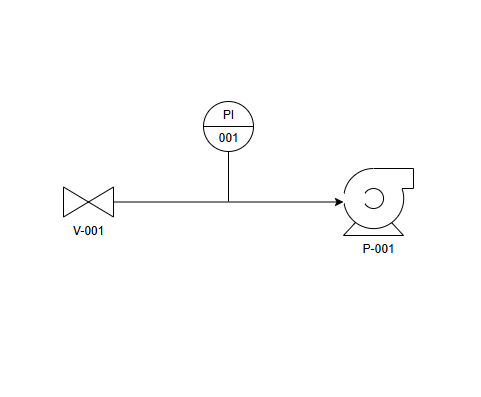
| V-001 | Gate Valve | 6" | CS | ANSI 150 |
| PI-001 | Pressure Ind. | — | SS | ANSI 150 |
| P-001 | Mag Drive Pump | 6" | PTFE/CS | — |
Drawn, not described
ISA-style symbols, placed and tagged automatically from the scan order.
Goes where your team already works
Drop straight into your existing review and CAD workflow.
Built around the pipeline walk.
Pipeline inspection contractors
Get documentation off the crew's plate and out the door faster, without adding headcount.
Mechanical PEs
Spend review time on judgment calls, not redrawing valves and retyping spec sheets.
Owner-operator & EPC teams
Keep as-built documentation current without waiting on a backlog of manual redraws.
Built by an engineer who redraws P&IDs for a living.
Handles most of the legwork
LineID drafts roughly 75–80% of the documentation legwork — tagging, matching, and drawing — before a person ever opens it.
Flags chemical compatibility
Cross-references process fluid against material and lining, including known limits of photo-based ID on corrosive service.
Learns from corrections
Every edit a reviewer makes feeds back into the spec database, so the next match gets sharper.
LineID is a documentation tool, not an engineering service. It drafts the Pipeline Feature List and P&ID from field photos. It does not replace engineering judgment, inspection, or sign-off.
All engineering responsibility — review, interpretation, and stamping — stays with your project's licensed personnel.
Bring us your next pipeline walk.
Send a few field photos from a recent walk and we'll show you the drawing set LineID would have produced.